Score a game pitch by pitch
Tap each pitch, answer a few questions on a ball in play, record double plays, hit by pitch, dropped third strikes and steals, make changes, carry on after the app closes, and what to do when the game changes on another phone.
The pad is where you keep the book once the game starts: it asks only what each play needs, with big buttons. This is for the adult scoring for your team, signed in to Scoring Pro, after both lineups are saved (Enter both lineups before a game).
Start the game
- On the Lineups screen, with both lineups saved, choose Start the game.
- The pad shows the score, the bases, the count, the outs and who is batting. Under it: What happened on this pitch?
The pad names your own players by jersey number and name, and the other team's by number only. A scorer the team added sees your own players by number only too. This help writes every player as a number, like #12.
Record a pitch
Choose Ball, Foul, Strike (looking) or Strike (swinging). The count, a walk and a strikeout follow on their own. The line at the bottom says what the last play was and how many pitches the pitcher has thrown.
A ball in play
- Choose Ball in play.
- Under How did it end for the batter?, choose Single, Double, Triple, Home run, Out, Safe on an error or Safe, another runner out (a fielder's choice). For a sacrifice, first choose Bunt or Fly ball under A sacrifice?, then Out or Safe on an error: choosing a result moves on at once, and a sacrifice isn't kept on a hit or a fielder's choice.
- After an out or a fielder's choice, tap who touched the ball, in order, by position, then choose That's the play. If you didn't see, choose Skip: I didn't see who. After Safe on an error, tap the fielder who made it. A hit goes straight to the runners.
- Under Is this where everyone ended up?, the pad has already guessed where each runner went. Change any that are wrong, then choose Yes, save the play.
When one play makes two or more outs, the third out of the half-inning is one of them, and a run crosses the plate (a double play that ends the inning, say), the button reads Next and the pad asks Did the run count? (or Did the 2 runs count?) before it saves. Go by the umpire's call: choose Yes, it counted or No, it didn't count. On a ball in play, a play with only one out never asks: the pad works that out itself.
A runner out, and double plays
When you mark a runner Out, the pad asks where: #12 was out at. It starts on the next base, the usual force. Change it for a runner doubled off their own base (Back at 1st), or one thrown out trying for an extra base. Where the runner was put out decides whether a run counts on the third out.
On a play with two or more outs, each out asks who made it: Who put out #12? Tap in order, then the same for the batter. Tap the fielders for that out only, or Clear to start again. If you tapped the whole double play on the field screen (the batter and one runner out), say 6–4–3, the pad has already split it: 6–4 for the runner out at second, 4–3 for the batter. Check both, then choose Yes, save the play. The pad's last-play line then reads Double play, 6–4–3.
Something else
Choose Something else for the plays that aren't one of the pitch buttons. A choice that can't happen right now is greyed out, with the reason under it.
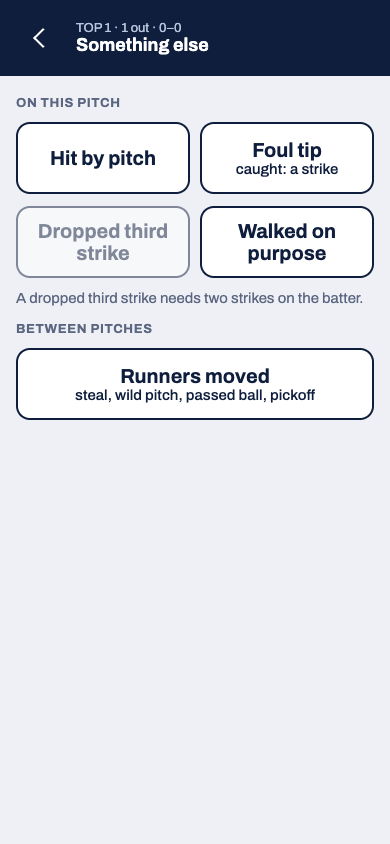
On this pitch
- Hit by pitch, Foul tip (caught: a strike) and Walked on purpose save straight away and take you back to the pitch.
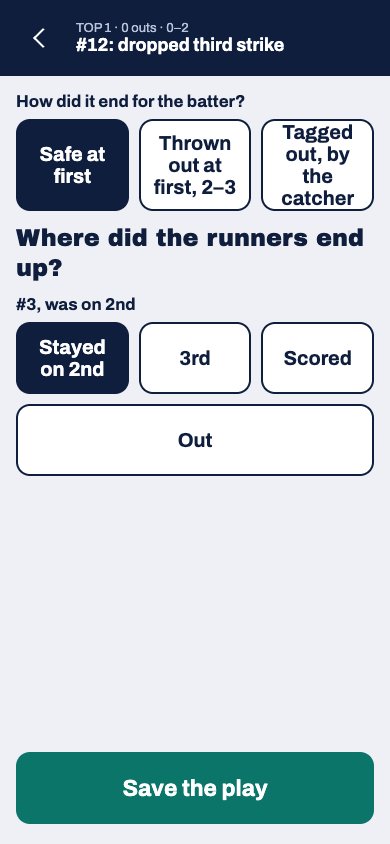
- Dropped third strike needs two strikes on the batter. Choose how it ended for the batter: Safe at first, Thrown out at first, 2–3 or Tagged out, by the catcher. Then check where the runners ended up (a runner out also says where, under #12 was out at) and choose Save the play. When first base is taken with fewer than two out, or the game's rules don't let the batter run, the pad says so and you choose Save the strikeout. If the play ends the half with a run crossing, the pad asks "The play ended the half. Did the run count?"
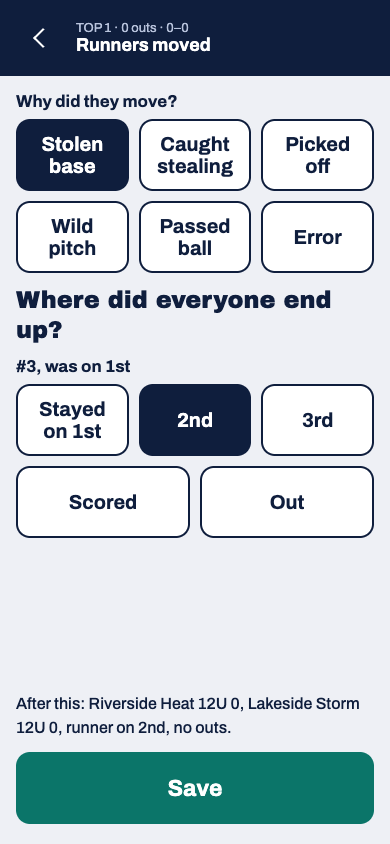
Between pitches
- Runners moved, with at least one runner on base. Choose why they moved: Stolen base, Caught stealing, Picked off, Wild pitch, Passed ball or Error (then who made it). Stolen base and Caught stealing appear only in games that allow stealing. The pad guesses where each runner went for that reason; check each one. A runner out says where, under #12 was out at: a pickoff starts on the base the runner was on, caught stealing on the base they ran for. The line above Save shows the score, bases and outs after the play. The count stays as it was. If an out ends the half with a run crossing, the pad asks "The out ended the half. Did the run score before it?": choose Yes, it counted or No, the out came first.
- Balk shows only in games with balks (baseball), and needs a runner on base.
- Umpire called time shows only in a game with a time limit, until it's used. It marks the limit as reached, so the inning in play is the last. Undo takes it back.
Make a change
Choose Make a change for a player coming in or out, a new pitcher or fielders moving. The pad lists the team at bat's changes first, then the team in the field's.
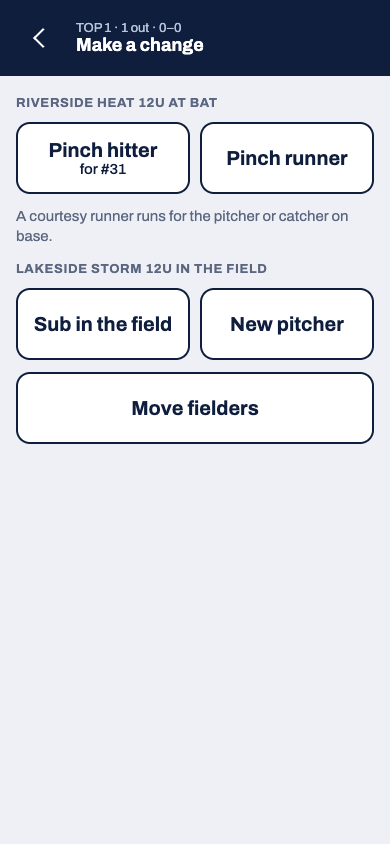
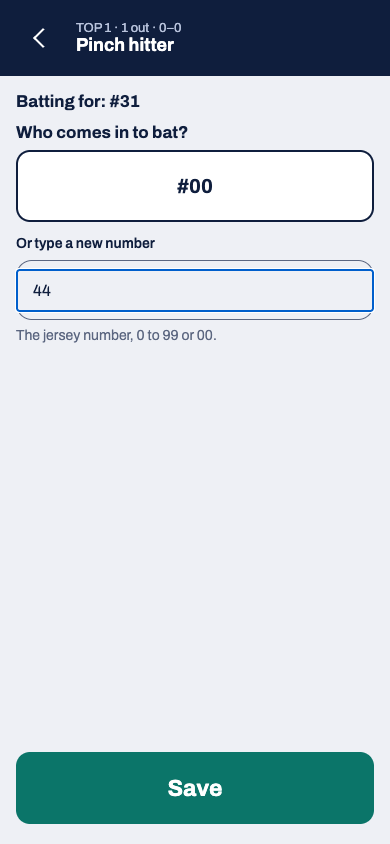
- Pinch hitter bats for the batter who is up. Pinch runner runs for a runner on base: pick which one.
- Courtesy runner runs for the pitcher or catcher on base, in games that allow courtesy runners. When one is allowed, the pad suggests it at the top: choose Courtesy runner there.
- Sub in the field: pick who comes out. The player coming in takes their place in the batting order and their position.
- New pitcher: pick who pitches now, from the bench or from the field.
For each of these, pick who comes in and choose Save. The pad lists only players the rules let in: the bench in the team's saved lineup, a player who left the game (to come back in once), the Flex to bat in the DP's spot, and for a new pitcher, the fielders. When the other team is kept by jersey number, you can also type the new player's number: the pad takes digits only. If the rules don't allow a change, the pad says why and Save stays off.
Move fielders: each fielder shows where they play now. Pick the new position for each one who moved, then choose Save. Two fielders can swap in one change. Tap a picked position again to take it back.
Take back a mistake
Choose Undo at the top of the pad to take back the last play. Undo again to go back further, as far as the first pitch.
To fix a play further back without undoing the plays after it, use Plays and box score (Fix a play that was scored wrong).
A play saved with no signal is kept on your phone and sent when you're back online. Until then, the top of the pad shows how many plays are waiting for signal.
If the game changes on another phone
Sometimes the game's book gets a play this phone didn't know about: the same game scored on a second phone, or the book handed to another scorer. When that happens, the play this phone just sent isn't added to the game, and the pad stops scoring and says This game changed on another phone.
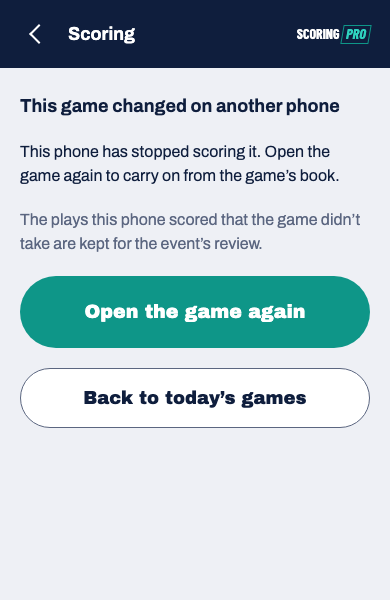
- Choose Open the game again.
- If Lineups says someone else is keeping the book, the book went to another scorer. Leave it with them, or take it back with Take over the book (Take over your team's book from another phone).
- Otherwise, on the Lineups screen, choose Start the game. The pad opens from the game's book as it is now, with the other phone's plays in it. If a lineup shows not yet, the game didn't take it: add it again first.
- Check the score, count and runners, then carry on scoring.
If the app closes mid-game
Your phone keeps the game you're scoring, even with no signal. If the app closes or your phone restarts, open Scoring Pro: Find a game shows the game under Scoring on this phone. Tap the game (it says Carry on scoring) and the pad opens where you left off.
Your players show by jersey number until you have signal again, then their names come back if you can see names. An answer you were part-way through on a ball in play isn't kept, so tap that pitch again.